Scratch 3D Text Effect: Real-World Applications for Creators and Businesses
In a digital landscape saturated with flat, two-dimensional content, grabbing attention requires more than just good copy. It demands visual impact that stops the scroll. This is where the Scratch 3D Text Effect becomes an essential tool for anyone looking to elevate their design game without needing years of training in graphic software. Whether you are running a small business, managing social media channels, or creating educational materials, the ability to add depth and texture to your typography can transform a standard message into a compelling visual statement.
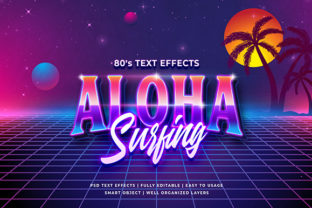
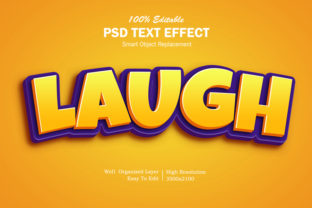
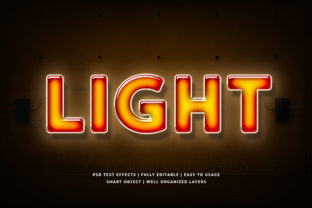
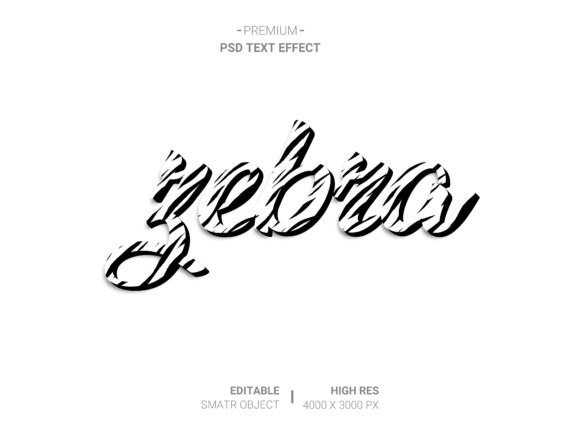
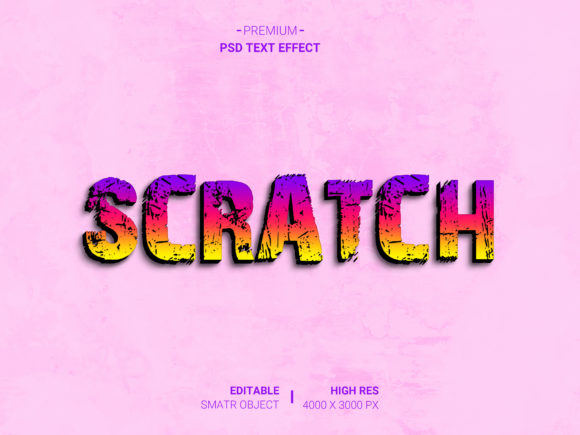
The concept behind this effect is straightforward yet powerful. It simulates a scratched, weathered, or three-dimensional look on text, giving it a tactile quality that feels tangible even on a screen. But beyond the aesthetic appeal, the true value lies in its accessibility. You do not need to be a professional designer to achieve high-quality results. The process relies on smart object technology within Photoshop files, allowing users to double-click, paste their design, save, and instantly see the transformation applied to a highly realistic presentation.
Why Visual Depth Matters in Modern Communication
When we think about why people engage with content, the answer often comes down to emotion and clarity. Flat text can feel sterile or generic, especially when competing against polished advertisements from major brands. A Scratch 3D Text Effect introduces a layer of grit and realism that resonates with audiences on a subconscious level. It suggests durability, history, or a raw, authentic vibe depending on how the texture is applied.
Consider the scenario of a local coffee shop owner launching a new seasonal blend. A simple flyer with bold, black letters might get lost in a stack of promotions. However, applying a scratched, textured 3D effect to the words "New Arrival" creates a sense of craftsmanship and warmth. It tells the customer that the product has character, much like the worn leather of a well-loved armchair or the rough edges of a hand-carved table. This psychological connection is what drives engagement.
Practical Use Cases Across Different Industries
The versatility of this design asset means it fits seamlessly into various workflows. Let's look at how different professionals utilize these tools to solve real problems.
For Social Media Managers and Influencers
Social media feeds move quickly. To stop a user from scrolling past a post, the visual needs to pop. An entrepreneur promoting a limited-time offer can use the Scratch 3D Text Effect to create urgency. By applying a distressed texture to discount codes or event dates, the content stands out against the clean, minimalist backgrounds typical of platforms like Instagram or Pinterest. The high-resolution output ensures that the text remains crisp even when viewed on large mobile screens, maintaining professionalism while adding edge.
For Educators and Content Creators
Educational materials often struggle with dryness. Teachers and course creators can breathe life into lesson plans by using these effects for titles and key concepts. Imagine a history teacher creating a slide deck about the Industrial Revolution. Using a scratched, metallic 3D effect for headings related to machinery or factories adds an immersive historical context. Similarly, bloggers writing about vintage restoration or DIY projects can use these textures to reinforce the theme of their articles, making the reading experience more engaging.
For Freelancers and Small Business Owners
Freelance designers often face tight deadlines and demanding clients who want unique branding but have limited budgets. Instead of spending hours modeling 3D text in complex software, a freelancer can use these pre-made PSD files. They simply open the file, replace the placeholder text with the client's logo or slogan, and deliver a finished product in minutes. The fully layered, well-organized folders allow for easy customization of colors and lighting, ensuring the final output matches the brand identity perfectly.
How the Workflow Simplifies Your Design Process
One of the biggest barriers to creating 3D designs is the technical complexity involved. Traditional methods require understanding lighting angles, extrusion settings, and texture mapping. The Scratch 3D Text Effect removes this barrier entirely through its user-friendly interface. The workflow is designed for speed and efficiency.
The core mechanism relies on smart objects. When you download the PSD file, you will find a specific layer labeled as a smart object. All you have to do is double-click on this layer. This action opens a separate window where you can paste your own design, image, or text. Once you save that inner document and close the window, the main file automatically updates, wrapping your content in the realistic 3D scratch effect. This non-destructive editing method means you can experiment endlessly without ruining the original file.
This feature is particularly beneficial for those with no skill requirement. You don't need to know how to adjust light sources or render shadows manually. The layers are already set up to handle these complexities. If you decide later that you want the text to look more worn or the lighting to change, you can simply toggle visibility or adjust opacity within the organized folder structure. This flexibility allows for rapid iteration, which is crucial when working on multiple projects simultaneously.
Key Features That Deliver Real Outcomes
While many templates claim to be easy to use, the specific features of this Scratch 3D Text Effect package offer tangible benefits for daily work.
- Smart Object Replacement: This is the time-saver. It eliminates the need to rebuild the 3D model every time you need a new headline. Just swap the content, and the effect applies instantly.
- High Resolution: In an era of Retina displays and 4K printing, pixelation is unacceptable. These assets are rendered at high resolutions, ensuring they look sharp whether used in a web banner, a print brochure, or a large format poster.
- Easy to Use: The interface is intuitive. Even if you have only basic experience with design software, the instructions are clear enough to get you from start to finish in under five minutes.
- No Skill Requirement: You do not need a degree in graphic design. The heavy lifting is done by the template, leaving you to focus on creativity and messaging.
- Fully Layered and Organized: The file structure uses folders to group related elements. This organization makes it easy to isolate specific parts of the design, such as changing the background color or adjusting the scratch intensity without affecting the rest of the composition.
Things to Consider Before You Start
Before downloading or purchasing any design asset, it is wise to consider your specific needs. While the Scratch 3D Text Effect is powerful, it works best when matched with the right type of content. For instance, a sleek, modern tech startup might find a gritty, scratched texture clashes with their brand identity. In contrast, a band promoting a rock concert or a brewery advertising craft beer would find this style perfectly aligned with their audience's expectations.
Additionally, always ensure you have the necessary software installed. Since these files rely on smart objects, you will need a compatible version of Adobe Photoshop. Check the system requirements before starting your project to avoid frustration. Also, take a moment to review the license agreement. If you plan to use the designs for commercial purposes, such as selling merchandise or running paid ads, make sure the license permits commercial usage. Most high-quality templates do, but it is always better to verify.
Finally, think about the context of your final output. Will the text be viewed on a dark background or a light one? Some 3D effects cast shadows that might disappear on dark surfaces, reducing the intended impact. Because the layers are fully editable, you can easily invert colors or adjust contrast to suit your background, ensuring the text remains legible and impactful regardless of the environment.
Ultimately, the goal of any design tool is to help you communicate your message more effectively. The Scratch 3D Text Effect provides a bridge between complex design theory and practical application. It empowers everyday users, entrepreneurs, and creators to produce professional-grade visuals that capture attention and convey meaning. By leveraging these tools, you spend less time fighting with software and more time focusing on the ideas that matter most.